VotePlay Blog · Creator Tips
Turn Passive Viewers into Active Participants
How YouTube creators can boost engagement with a single QR code — and reach the viewers who never leave a comment.
5 min read
Every YouTube creator knows the struggle: you pour hours into your video, hit publish, and then watch the like-to-view ratio tell only part of the story. Views and watch time are great — but what if your audience could respond to your content in real time, even while watching on their TV?
VotePlay makes that possible with a single QR code.
Comments get buried. Community tab polls reach only your subscribers. And if someone is watching on a smart TV or a tablet across the room, they are not typing anything. You are leaving a massive engagement opportunity on the table.
The technique
The bottom-right QR code
Overlay a QR code in the bottom-right corner of your video paired with a short call to action — exactly like the example below from a NASA broadcast. Viewers watching on a computer, tablet, or smart TV can grab their phone, scan the code in under a second, and instantly land on your poll. No app install. No account required. Just a tap and they are voting.
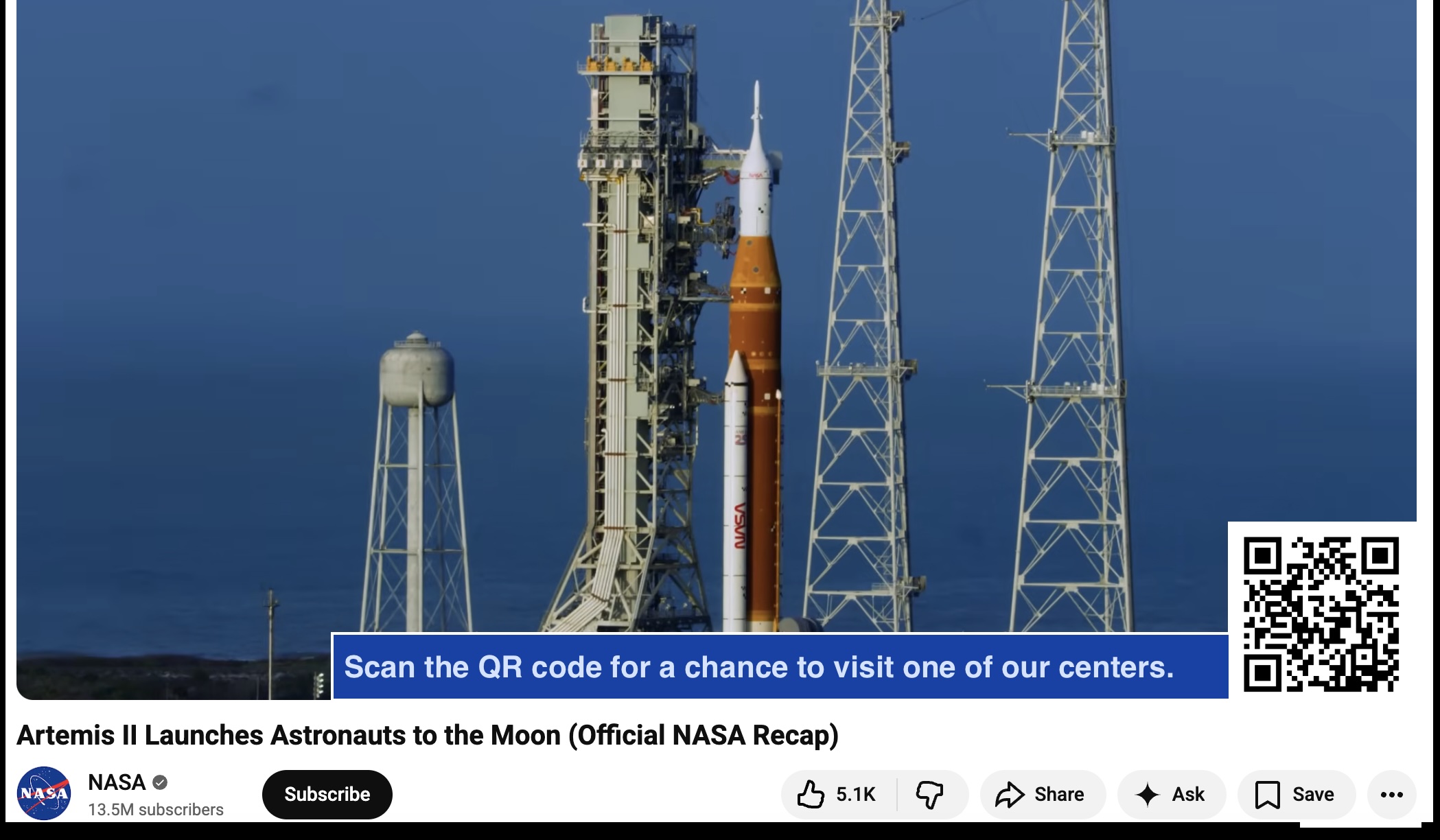
NASA broadcast: QR code + call-to-action bar in the bottom-right corner of the video frame
Works on every screen
The QR code removes friction for the viewers least likely to comment — your lean-back TV audience — and turns them into participants.
| Watching on… | Can they type? | Can they scan? |
|---|---|---|
| Desktop browser | ✅ | ✅ |
| Smart TV | ❌ | ✅ |
| Tablet | ❌ | ✅ |
| Mobile | ✅ | ✅ |
How it works with VotePlay
From poll creation to download, the whole setup takes under five minutes.
Create a poll
Log in to VotePlay, create a poll with your question and two answer options. Set a start time so it only goes live when the video drops, and an expiry time so voting closes after your premiere window.
Download your QR code
Every poll on VotePlay comes with an auto-generated QR code. Click Download QR Code from the poll list and you get a clean, high-resolution PNG ready to use.
Add it to your video
In your video editor (Premiere, DaVinci Resolve, CapCut — anything works), place the QR code PNG in the bottom-right corner of your video, roughly 15–20% of the frame width. Add a short label just to the left: “Scan to vote!”
Watch the results come in
As viewers scan and vote, your VotePlay dashboard updates in real time. Share the results at the end of your video, pin them in comments, or tease them in a follow-up video.
Pro tip
Scheduling: perfect for premieres
VotePlay lets you set a start time for your poll. Schedule it to open exactly when your video premieres. Set an expiry time so voting closes after 24 or 48 hours — creating urgency and keeping the conversation alive right after launch, when your video gets the most traction.
Start time
Poll only appears once your video is live. Viewers who scan early see a countdown.
Expiry time
After the window closes, viewers see a friendly "poll has ended" message. Results stay visible.
Ideas for every niche
A good poll question is specific, fast to answer, and tied to something the viewer already has an opinion about.
Tech & Review
“Which GPU should I benchmark next?”
RTX 5090 vs RX 9070 XT
Sports & Commentary
“Who wins the finals?”
Team A vs Team B
Cooking & Lifestyle
“What recipe should I cook next week?”
Ramen vs Tacos
News & Explainers
“Should governments regulate AI?”
Yes vs No
Gaming
“Which ending did you choose?”
Save the city vs Save your crew
Ready to try it?
Your audience is already watching.
Give them something to do about it.
Create your first poll in minutes. Download the QR code. Drop it into your next video.
Get started free →